Kalm

Kanban+LM=Kalm

Keep Kalm and Vibe On

Your Agent harness is now a Kanban Board. See exactly what each of your agents is doing at a glance.

macOSApple Silicon DMG Linuxx64 APPIMG Windowsx64 EXE
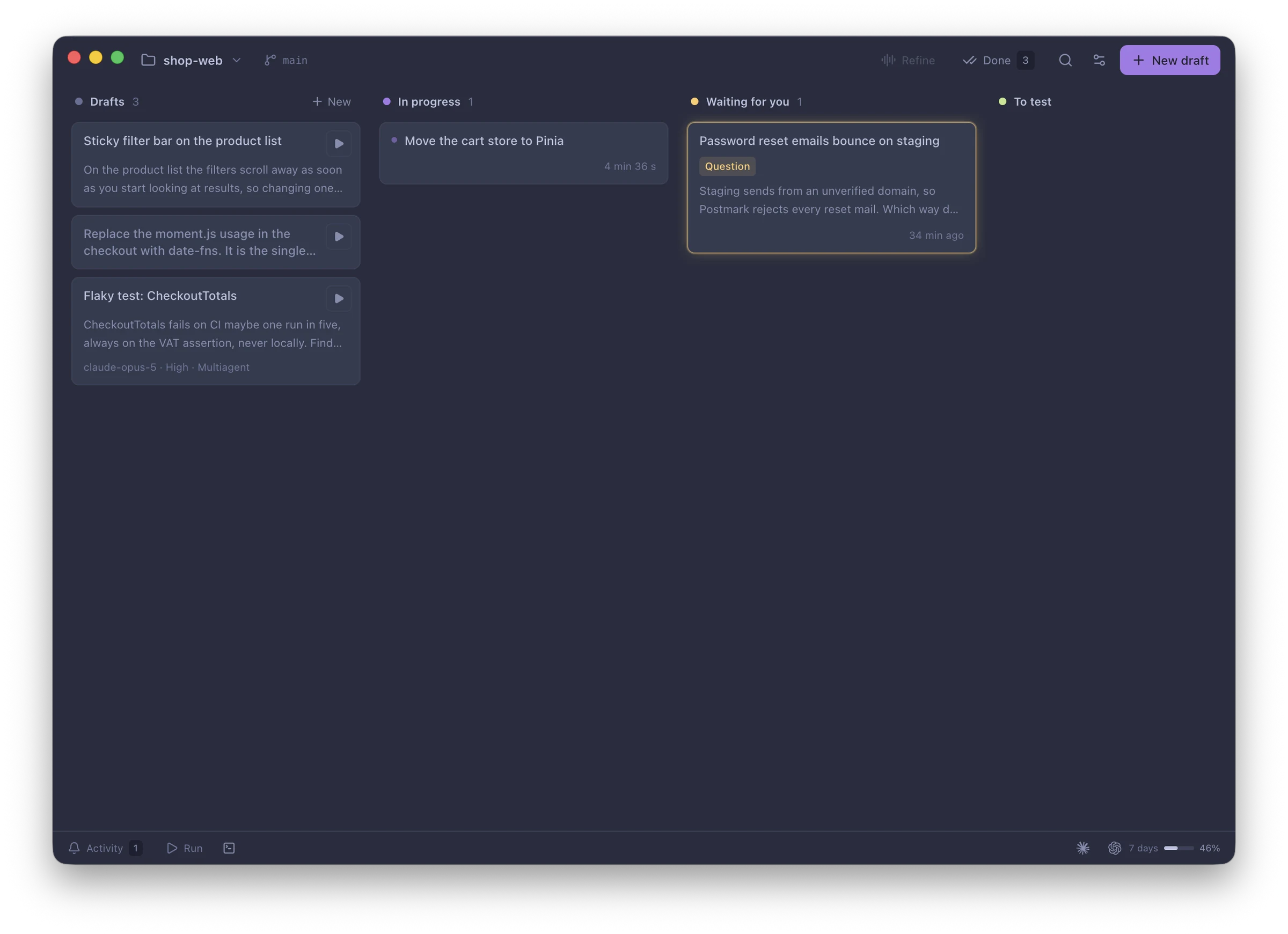
Kalm running on a Mac: three drafts, one card in progress, one waiting for you

No chat tabs to dig through.

Every agent run is a card. You can see what's running, what needs you and what's ready to test. Nothing pings you until a card is your turn.

01 Done

Once done, out of sight.

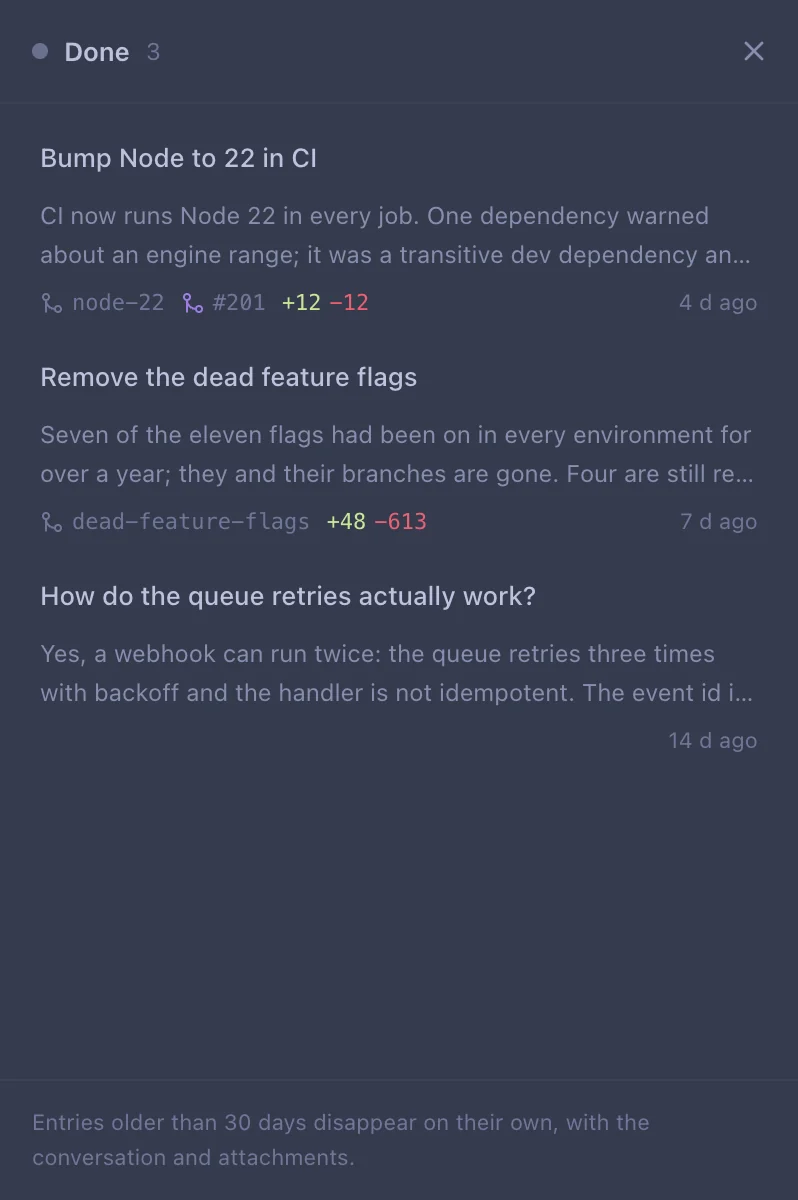
A ticket that is finished disappears from your board. Freeing up your mental context. Allowing you to focus on the tasks that need your attention now.

Done drawer30 days
The Done drawer with three finished cards
02 Multiagent

Claude and Codex. Same card, same time.

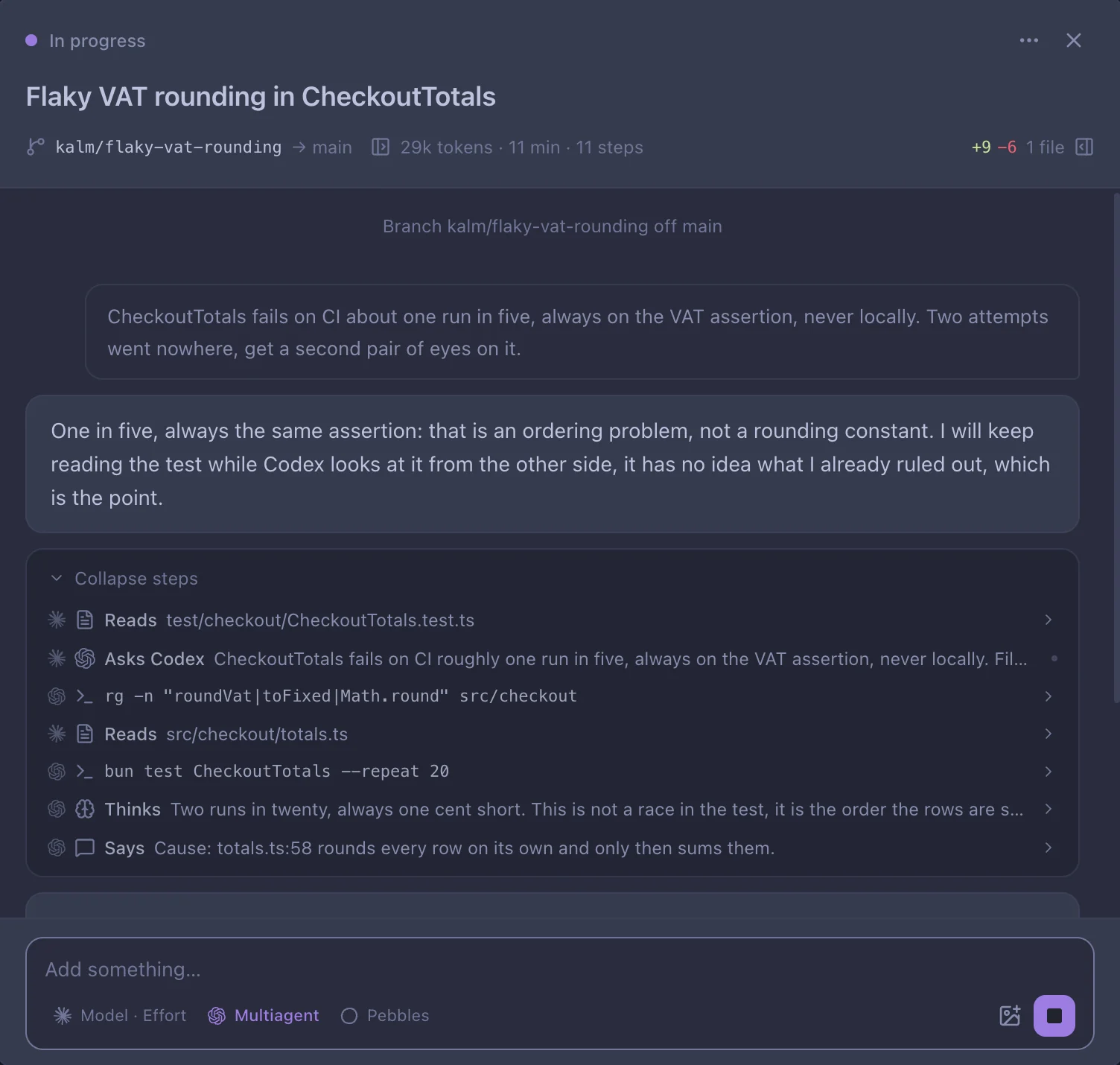
It's not one or the other. It's both, at the same time. Claude uses Codex to its advantage: your code is checked by two different models, and plans are made from two different perspectives.

Claude Codex One card
In progressMultiagent
One card where Claude and Codex take turns: reads, a Codex search, a test run
03 Next step

The next step is a button click away.

When your agent finishes its work, it searches its memory for the best next action and hands it to you as a simple button. One click to merge your changes, push to staging or build a new release locally. Your agent learns as you use Kalm.

To test / Fix the double submitPicked by the agent
Buttons under a finished card: Build a release, Push to staging, Merge and push
04 Your tools

Your Jira tickets. Your GitHub PRs. One board.

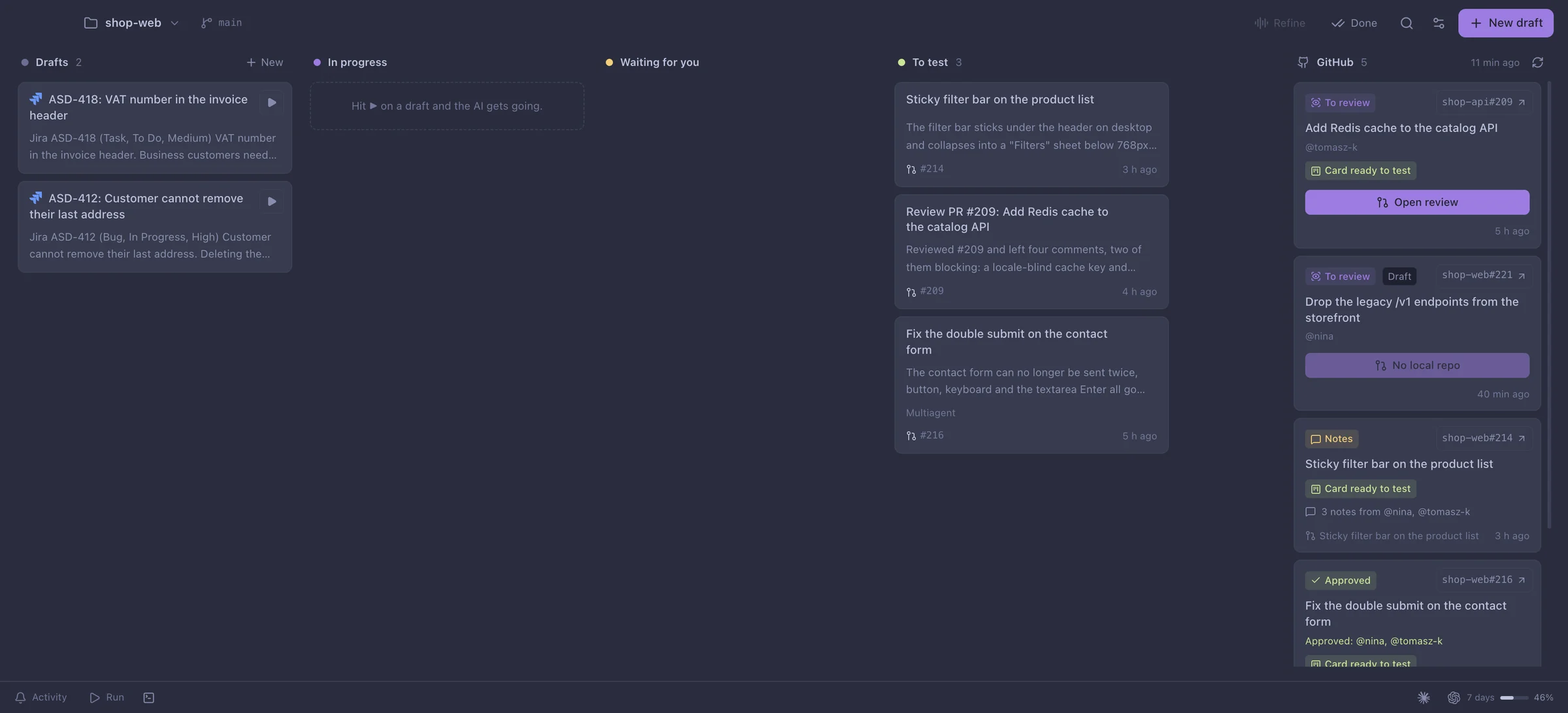
Your Jira tickets land on the board as drafts, description and all. Your GitHub PRs that want a review or got new notes sit right next to the card that made them.

Your Jira tickets → DraftsYour GitHub PRs → PR column
Your Jira tickets as drafts on the left, your GitHub pull requests in a column on the right
05 Refine

Talk it through. Kalm writes the tickets.

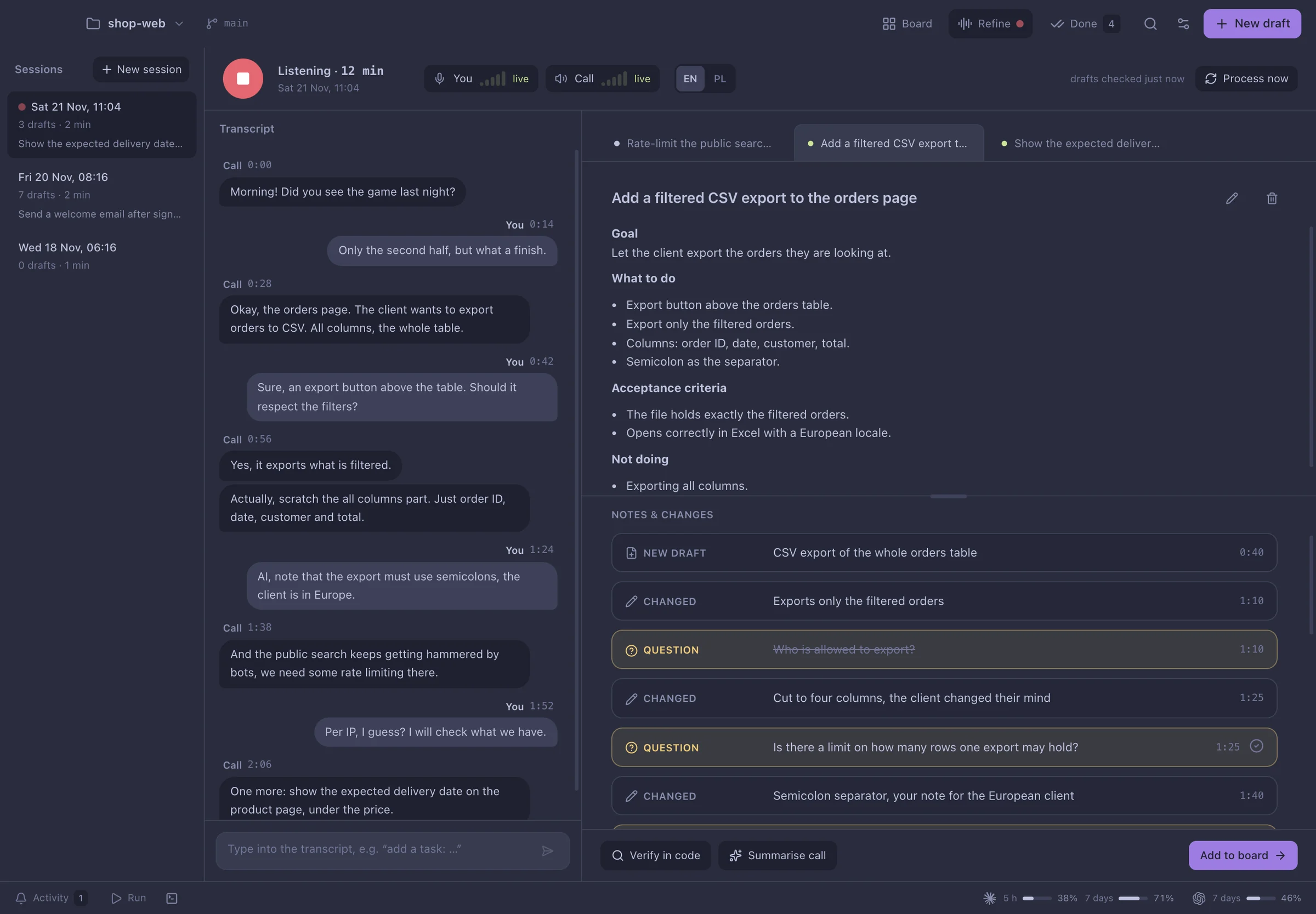
Turn on Refine during a call. By the time you hang up, the cards are written and checked against your code.

  1. Transcribes you and the call, live.
  2. Drafts a card for every ask: goal, steps, acceptance criteria.
  3. Rewrites it when someone changes their mind.
  4. Flags open questions and answers them from your code when it can.
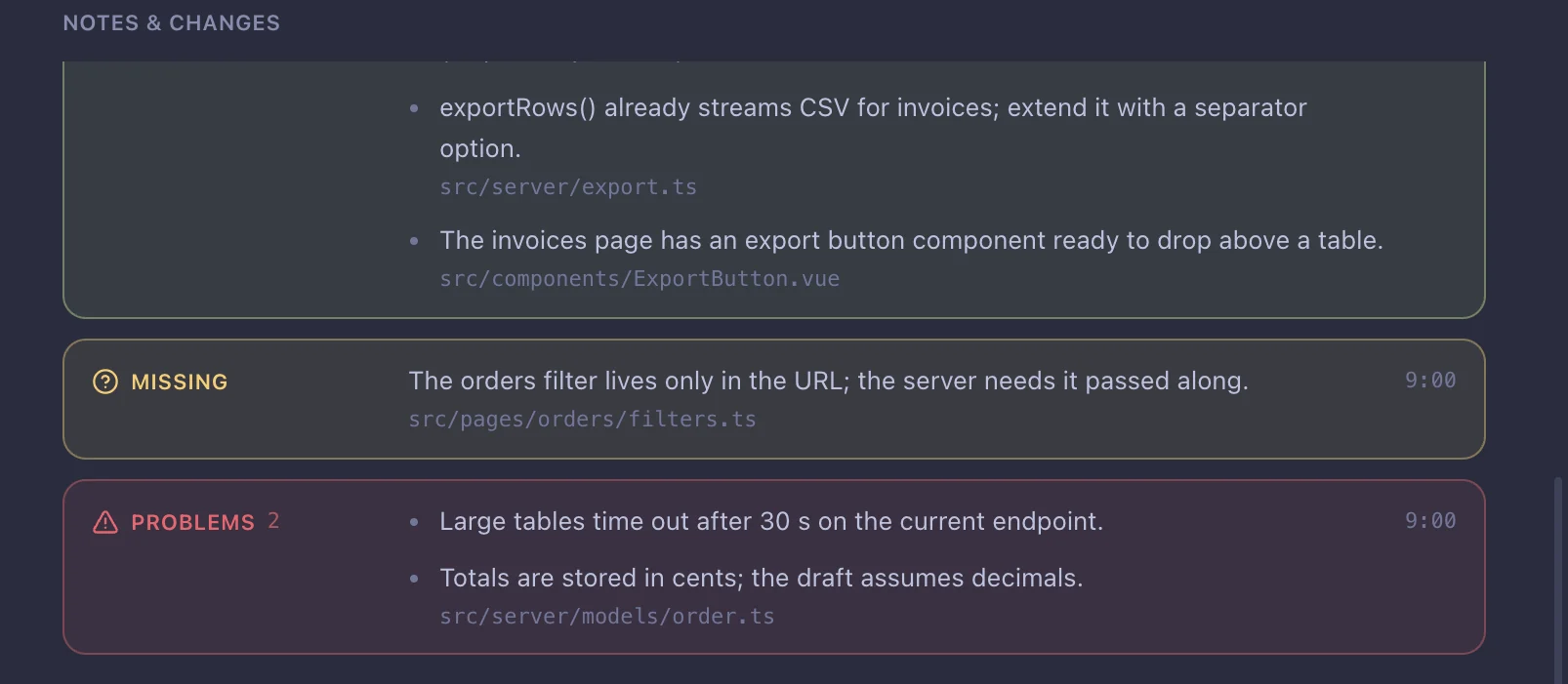
  5. Checks each draft against the repo: what to reuse, what's missing, what will break.
  6. Listens to you directly. Say AI, note that… and it does.
  7. Sends it to the board in one click.
Listening / 14 min3 drafts
Refine: the call transcript on the left, the draft and its change log on the right
Code checkReuse / Missing / Problems
Code check results with file paths: what to reuse, what is missing, what will break
06 Pebbles

Bring specialists into your ticket.

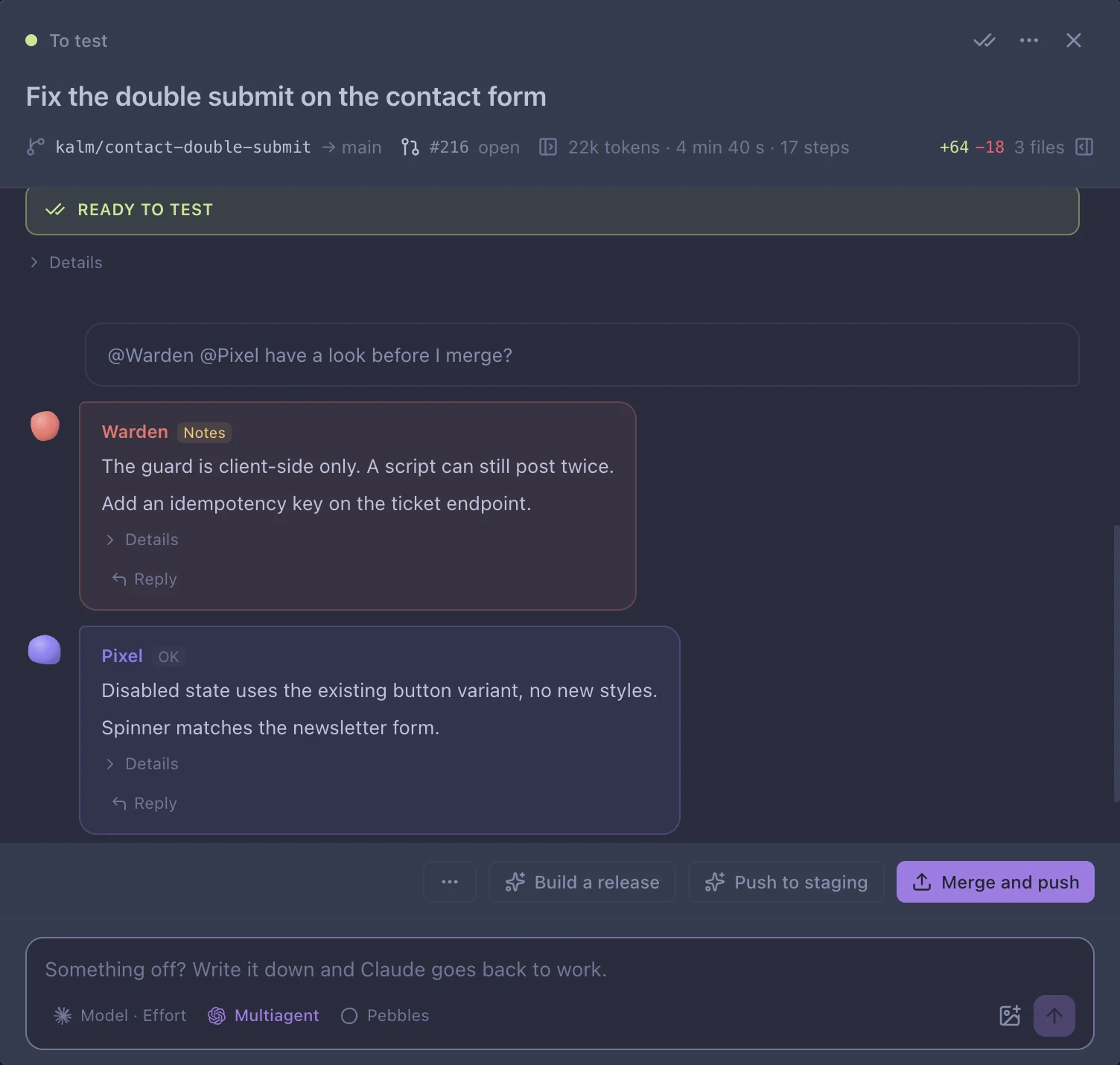
Turn any ticket into a group chat. Bring in an AI UI expert, a security expert or a QA hunter, and they weigh in right next to your agent. Missing someone? Make your own expert Pebble in one sentence and attach it to the chat. They read your code and never change it.

PebbleLooks at
PixelUI and design system01
WardenCode security02
QuillCopy and voice03
ScoutSEO04
GremlinQA and edge cases05
+ Your ownMake one in a sentence, add it to any chat
@Warden @Pixel2 replies
Warden leaves security notes and Pixel says OK on a finished card
07 Also on board

Everything you'd check, one click away.

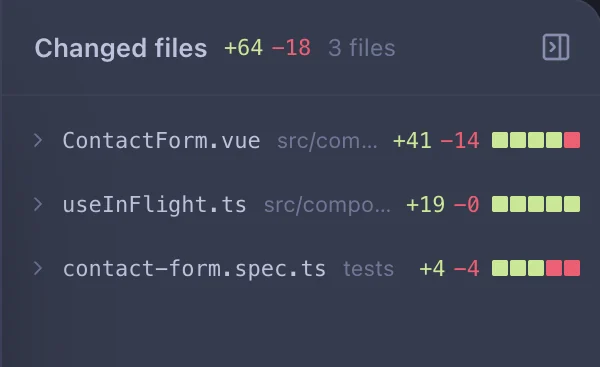
Changed files: three files with lines added and removed
Diff

Files changed

Every card shows its diff, file by file.

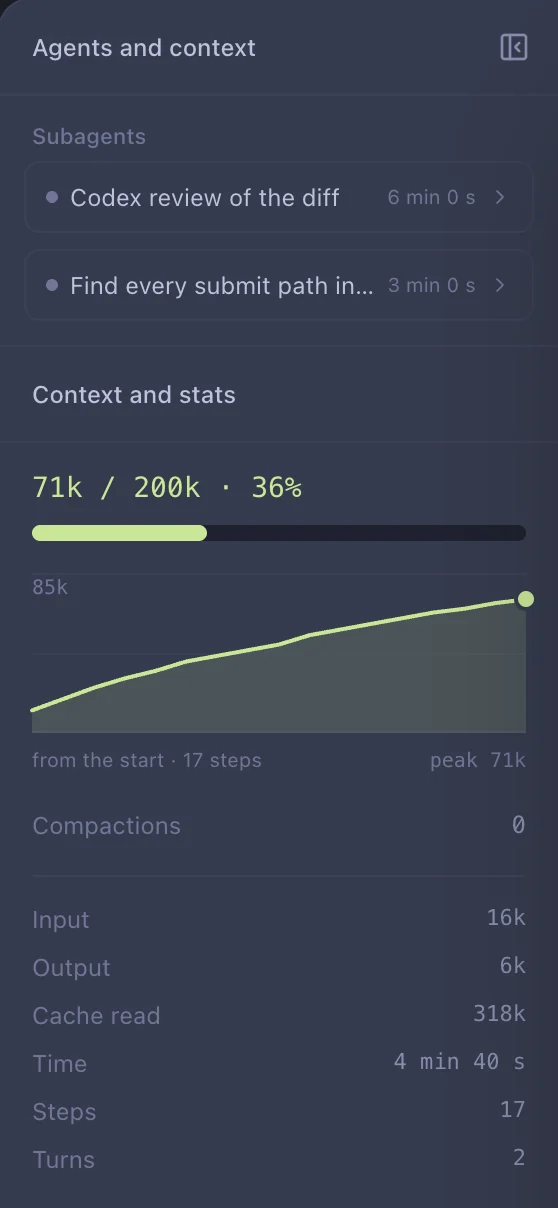
Context and stats: 71k of 200k used, a growth chart, tokens and time
Context

Context and stats

How full the context is, tokens, time and subagents.
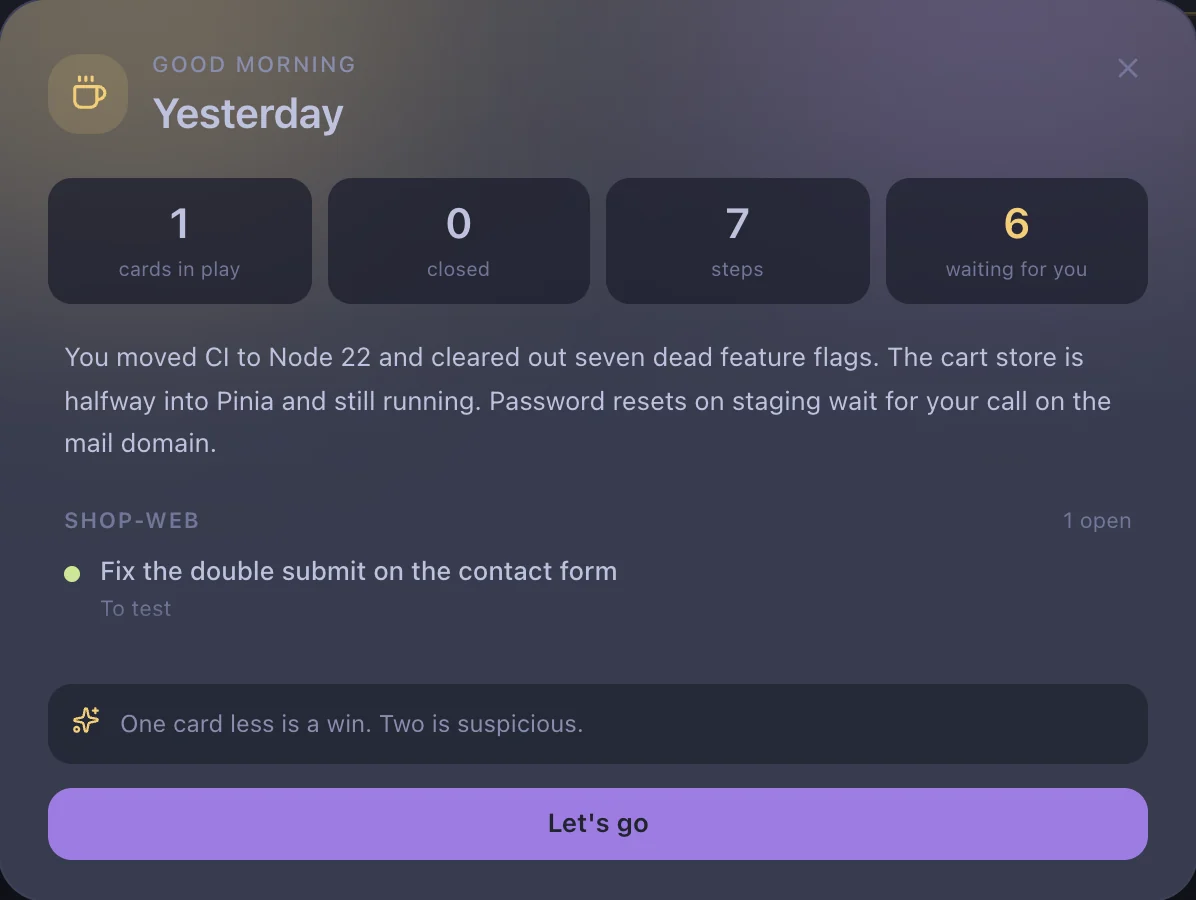
The morning digest: a three-sentence recap and what is still open
Morning

Morning digest

Once a day: what happened, what's still open.

GitA worktree per card TerminalDev servers under the board LimitsPlan usage in the corner SearchAny card, one ⌘F away

Keep Kalm and Vibe On

Your attention matters most. Kalm protects it.